Managing PCs in IT hasn’t always been simple. In the early days, support meant manual checks, desk-side fixes, and a lot of time spent walking from computer to computer. As businesses grew and technology advanced, that hands-on approach slowly turned into powerful systems capable of managing thousands of computers remotely.
Understanding how that shift happened makes it much easier to see why modern IT tools work the way they do.
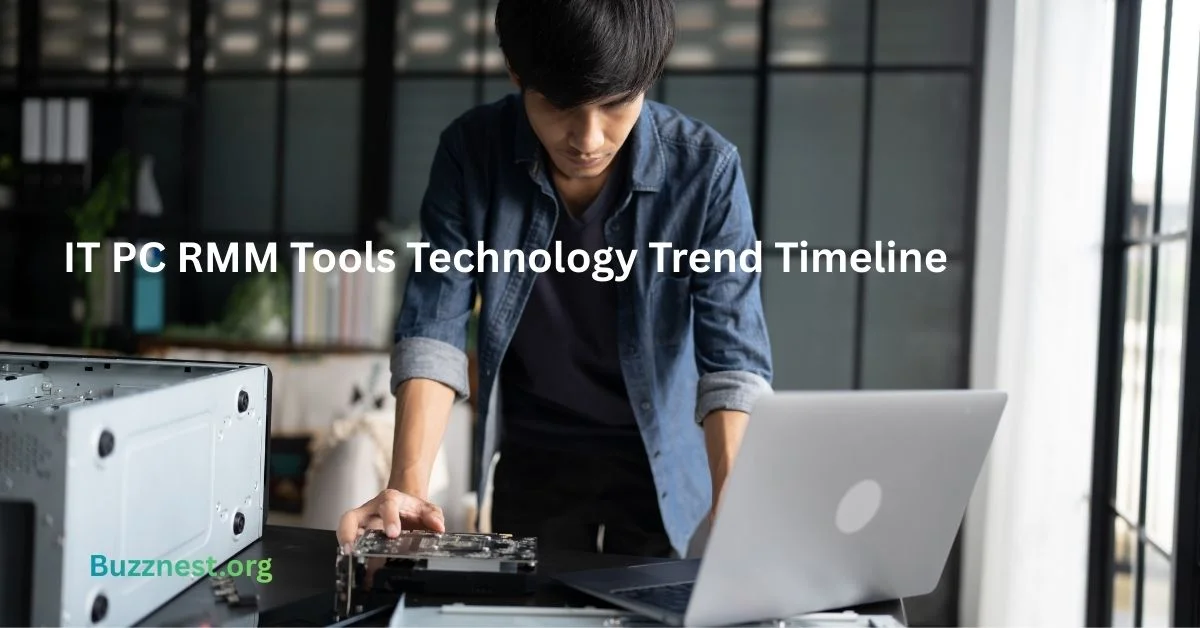
This guide walks through the IT PC RMM tools technology trend timeline, showing how basic PC management evolved into the advanced platforms used by IT teams and MSPs today. If you’re new to the topic, it breaks down the history of IT RMM tools in a clear, beginner-friendly way, without unnecessary technical depth.
For example, tasks that once required visiting every desk like installing updates or fixing common errors can now be handled from a single dashboard. When you see how RMM tools for PCs have evolved, modern PC remote monitoring and management starts to feel far more logical and much less intimidating.
Definition of IT PC RMM Tools
IT PC RMM tools are software platforms that allow IT teams to monitor, manage, and maintain computers remotely. Instead of sitting in front of each PC, technicians can check system health, install updates, fix issues, and keep devices running all from one central dashboard.
These tools are widely used by internal IT teams and managed service providers (MSPs) to manage large numbers of PCs at the same time. By automating routine tasks like patching, alerts, and basic troubleshooting, RMM tools reduce manual work and free up time for more important issues. This is a core part of modern remote PC management software.
A simple example: if an employee’s computer starts running out of disk space, an RMM tool can automatically detect the issue, alert IT, or even clean up files before the user notices a problem. This shows how RMM tools for PCs have evolved from reactive support into proactive IT management.
Over time, IT PC RMM tools have become essential for PC remote monitoring and management, giving IT teams visibility and control without needing physical access to every device.
Purpose of RMM Tools for PC Management
The main purpose of RMM tools is to help IT teams keep PCs running smoothly without constant hands-on work. They allow technicians to monitor systems, catch issues early, and fix problems remotely before they disrupt productivity.
RMM tools are especially valuable when managing many devices at once. Instead of checking each PC individually, IT teams can view performance, system health, and alerts in one place. This makes PC remote monitoring and management faster, simpler, and more reliable.
For example, if a Windows update fails on several computers, an RMM tool can automatically detect the issue and deploy the fix to all affected PCs at once. This clearly shows how RMM tools for PCs have evolved to reduce repetitive manual tasks.
Overall, RMM tools exist to prevent problems, reduce downtime, and give IT teams better control making them a core part of modern IT management tools.
Early PC Management Tools Before RMM Adoption
Before RMM tools existed, managing PCs was mostly manual and reactive. IT staff had to physically visit each computer to install software, fix issues, or adjust settings. This worked when there were only a few devices, but it quickly became unmanageable as organizations grew.
Early PC management relied on basic scripts, local admin access, and on-premise tools to handle tasks like updates and user accounts. This period represents the early history of IT RMM tools, when true remote access was limited or nonexistent.
A common example from this time is an IT technician going desk to desk to install the same software on every PC. If something broke later, the process had to be repeated from scratch. That’s how PC management worked before RMM introduced centralized control.
These early methods helped shape modern IT management tools, but they also exposed the need for better visibility, automation, and remote access paving the way for RMM adoption.
Introduction of Remote Monitoring in IT Environments
Remote monitoring emerged when IT teams needed insight into PCs without being physically present. As networks expanded and offices became more connected, manual checks simply weren’t practical anymore.
Early remote monitoring tools focused on visibility rather than control. They could show whether a PC was online, low on disk space, or generating errors. While limited, this marked an important step in the evolution of remote PC management tools.
For example, instead of waiting for a user to report a slow computer, IT teams could receive alerts when performance dropped. This shift moved IT from reactive support to early issue detection a key moment in RMM software evolution.
Remote monitoring changed daily IT workflows and laid the foundation for modern RMM platforms.
Development of Centralized RMM Platforms
Centralized RMM platforms were created to solve a growing problem: managing many PCs from one place. Instead of juggling separate tools for monitoring, patching, and remote access, IT teams needed a unified system.
These platforms introduced dashboards that showed the status of all PCs at a glance. Alerts, patches, scripts, and remote access could now be handled centrally. This shift played a major role in the history of IT RMM tools, making PC management more efficient and scalable.
For example, an IT team managing hundreds of PCs could push software updates to all devices at once instead of working on each machine individually. This shows how RMM tools for PCs have evolved into full management platforms.
Centralization also helped standardize IT processes, which is why centralized RMM platforms became the backbone of modern remote PC management software.
Impact of Cloud Computing on RMM Tools
Cloud computing transformed RMM tools by making them easier to access, scale, and maintain. Instead of running software on local servers, IT teams could log into web-based platforms and manage PCs from anywhere.
This shift made remote work and distributed teams far easier to support. Cloud-based RMM tools offered faster updates, improved reliability, and much simpler setup. This stage is a key part of the cloud based RMM tools history.
For example, IT teams can now manage office desktops, home laptops, and remote employee devices through the same dashboard. This clearly shows how RMM tools for PCs have evolved to support flexible work environments.
Cloud adoption pushed IT management tools toward real-time access and centralized control without heavy infrastructure.
Automation and Scripting Trends in RMM Tools
Automation became essential as IT teams looked for ways to handle repetitive tasks without constant manual effort. Instead of fixing the same issues repeatedly, technicians could define rules and scripts to respond automatically.
RMM platforms began supporting scripts for updates, cleanups, reboots, and system checks. This shift is central to IT RMM tools trends over time, moving IT work from reactive to proactive.
For example, if several PCs start running low on memory, an RMM tool can automatically trigger a cleanup script or restart services. This shows how RMM tools for PCs have evolved to save time and reduce errors.
Today, automation is a core part of the IT automation tools evolution, allowing teams to manage more devices with fewer resources.
Security and Compliance Features in RMM Solutions
Security became a major focus as PCs started handling more sensitive data. IT teams needed RMM tools that could protect devices, enforce policies, and meet compliance requirements without constant manual checks.
Modern RMM platforms added patch management, antivirus monitoring, access controls, and audit logs. These changes reflect how RMM tools for PCs have evolved to keep pace with security threats and regulations.
For example, an RMM tool can automatically detect missing patches and deploy them across all PCs. This marks a key moment in the RMM software evolution, where security became a core requirement.
Today, security and compliance are built directly into IT management tools, helping organizations reduce risk while maintaining consistent protection.
Integration of RMM Tools with MSP Workflows
RMM tools became far more powerful when they integrated directly into MSP workflows. Managed service providers need to monitor, support, and report on many client PCs at once, and disconnected tools slowed everything down.
Integrations allow RMM platforms to connect with ticketing systems, billing tools, and reporting software. This step is an important part of the evolution of remote PC management tools. These platforms are part of the broader ecosystem of modern IT tools businesses rely on to operate efficiently at scale.
For example, when an RMM tool detects an issue, it can automatically create a support ticket and assign it to a technician. That’s a clear sign of how RMM tools for PCs have evolved to support efficient service delivery.
These integrations are now central to modern MSP RMM technology trends.
Key Capabilities of Modern IT PC RMM Tools
Modern IT PC RMM tools give IT teams full visibility and control from a single platform. They combine monitoring, remote access, patching, automation, and reporting in one place.
Today’s tools can track performance, manage updates, run scripts, and send alerts in real time. These features show how RMM tools for PCs have evolved into complete management systems.
For example, IT teams can remotely access a user’s PC, install updates, and resolve issues without interrupting work. This highlights the everyday value of PC remote monitoring and management.
Current Technology Trends Shaping RMM Tools
Current trends are pushing RMM tools to be more proactive, secure, and scalable. As environments become more complex, RMM platforms are adapting to manage PCs across offices, remote locations, and cloud systems.
Automation, stronger security controls, and deeper integrations are key IT RMM tools trends over time. Smarter alerting and improved reporting help reduce noise and manual effort.
These trends continue shaping remote PC management software, helping IT teams stay efficient and reliable. According to Microsoft’s endpoint management overview, centralized monitoring and automation are key to managing large PC environments efficiently.
Future Direction of IT PC RMM Tools
The future of IT PC RMM tools focuses on greater automation, stronger security, and easier scalability. As environments grow, RMM platforms will handle more tasks with less manual input.
Future tools are expected to include smarter automation and deeper system integrations. These changes reflect future trends in IT RMM software.
For example, RMM tools may detect unusual PC behavior and respond automatically before problems escalate showing how RMM tools for PCs have evolved toward proactive management.
Experience Based Advice
- Start simple: focus on monitoring and patching before heavy automation
- Don’t automate broken processes fix workflows first
- Alerts should be meaningful, not overwhelming
Common Mistakes to Avoid
- Enabling too many alerts at once
- Ignoring security configuration
- Failing to document scripts and automations
- Treating RMM as a “set and forget” tool
Quick Checklist for Beginners
- ✔ Central dashboard visibility
- ✔ Patch management enabled
- ✔ Alert thresholds reviewed
- ✔ Basic automation in place
- ✔ Security features configured
FAQs
1. What is the main purpose of RMM tools?
To monitor, manage, and maintain PCs remotely while reducing manual work.
2. Are RMM tools only for MSPs?
No, internal IT teams use them as well.
3. Do RMM tools work for remote employees?
Yes, especially cloud-based RMM platforms.
4. Is RMM the same as remote access?
No, remote access is just one feature of RMM.
5. Are RMM tools hard to learn?
Most modern tools are beginner-friendly with proper setup.
Conclusion
Understanding the IT PC RMM tools technology trend timeline makes modern IT management much easier to grasp. Each stage in the history of IT RMM tools solved real problems, from saving time to improving security and scalability.
With this foundation, exploring modern PC remote monitoring and management tools or planning for future trends becomes far more approachable, even for beginners.