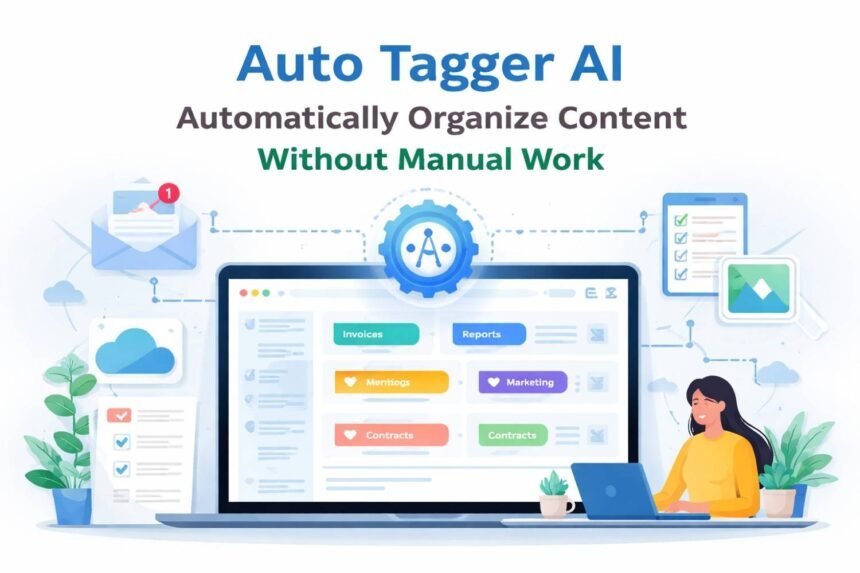
Manually tagging content takes more time than most people expect. Emails keep coming in, files pile up, and finding the right information slowly turns into a daily frustration. That’s where auto tagger AI starts to make a real difference.
Auto tagger AI organizes your content automatically by applying accurate tags without extra effort from you. If you manage emails, documents, or digital content, an AI tool that automatically tags files works quietly in the background so you can focus on actual work instead of constant organization.
Instead of spending hours sorting and labeling, the AI steps in the moment new content appears. It’s a small change that can noticeably reduce clutter and make your workflow feel calmer and more controlled.
What Auto Tagger AI Is
Auto tagger AI is a tool that adds relevant tags to your content automatically, so you don’t have to do it yourself. Instead of reading and labeling each item one by one, the AI looks at the content and applies tags that actually fit.
It does this by picking up on words, topics, and patterns inside the content. Once it understands what something is about, it applies consistent tags that make everything easier to organize and find later.
For example, when using an auto tagger AI for emails, the tool can scan new messages and label them as “invoices,” “support,” or “promotions” as they arrive. This reduces inbox clutter and helps you focus on what needs attention.
How Auto Tagger AI Works
Auto tagger AI works by quickly understanding what your content is about. It scans text, images, or files and looks for keywords, topics, and patterns to decide which tags fit best.
Behind the scenes, it uses machine learning to recognize similarities across content. As it processes more items, tagging becomes more consistent without you needing to set up rules or manage anything manually.
For example, an AI tool that automatically tags files can read a document and label it as “contracts,” “reports,” or “internal notes” right away. There’s no training required, and you don’t need to review every item the tagging happens automatically and saves hours of work.
Types of Content Auto Tagger AI Can Automatically Tag
Auto tagger AI isn’t limited to one type of content. Most tools are built to handle the kinds of content people work with every day.
This includes emails, documents, images, videos, and written content like blog posts or product descriptions. The AI looks at what’s inside each item and applies tags that match its topic or purpose.
For example, an auto tagger AI for content management can label articles by topic, audience, or status as they’re added. This makes it much easier to manage large content libraries without manual sorting.
Key Benefits of Using Auto Tagger AI
The biggest benefit of auto tagger AI is time savings. You no longer have to read, sort, and tag everything yourself, which removes a lot of repetitive work from your day.
It also keeps tags consistent. When people tag content manually, they often use different words for the same thing. An AI auto-tagging tool for beginners applies the same tags every time, making content easier to search and manage.
Teams using auto tagger AI for documents can quickly find files by topic or category, even when dealing with thousands of items. That consistency reduces frustration and makes information easier to access.
Auto Tagger AI Compared to Manual Tagging
Manual tagging requires you to read, sort, and label content one item at a time, which quickly becomes time-consuming and inconsistent as content volume grows. Different people often use different tags for the same type of content, making organization harder over time.
Auto tagger AI handles this work automatically by analyzing content and applying consistent, relevant tags as soon as new items appear. This saves time, reduces human error, and keeps emails, files, and documents organized without constant effort.
For most users managing large amounts of content, auto tagger AI is faster, more consistent, and far less stressful than manual tagging.
Accuracy and Reliability
Auto tagger AI is generally very accurate, especially with clear and well-structured content. It looks at keywords, patterns, and context to apply tags that match what the content is actually about.
Most tools improve over time as they process more data. A well-designed auto tagger AI software can handle large volumes of content with very few errors.
You always have the option to review or edit tags, but in most cases, the AI gets it right without extra input.
Common Use Cases
Auto tagger AI is useful anywhere large amounts of content need to be organized quickly. A common use case is email management, where messages are labeled by topic, priority, or sender as they arrive.
It’s also widely used for file and content organization. Teams rely on an AI auto tagger for images and documents to sort files by project, category, or status automatically.
Marketing teams, for example, use auto tagger AI to label blog posts, campaign assets, and reports so everything stays searchable and easy to manage.
Auto Tagger AI for Beginners and Non-Technical Users
Auto tagger AI is designed to be easy to use, even if you don’t have a technical background. Most tools work quietly in the background without complex setup or configuration.
For beginners, simplicity is the biggest advantage. An AI auto tagging tool for beginners usually starts working as soon as it’s connected, with clear options to review or adjust tags if needed.
This makes it accessible for individuals and teams who want better organization without learning new systems.
Key Features to Look for in an Auto Tagger AI Tool
When choosing an auto tagger AI tool, look for features that make tagging accurate and flexible. This includes customizable tags, support for multiple content types, and simple setup.
Integration matters too. Tools that connect with email, cloud storage, or content platforms make an auto tagger AI for content management far more useful day to day.
If the tool can update tags automatically as new content arrives, you’ll spend less time organizing and more time getting work done.
Limitations of Auto Tagger AI
Auto tagger AI is helpful, but it isn’t perfect. It works best with clear, consistent content and may struggle with very short, vague, or highly specialized material.
Sometimes a tag may feel slightly off. That’s why most auto tagger AI software lets you review or adjust tags when needed.
A quick manual tweak usually fixes small issues while the AI still saves you most of the work.
How to Get Started with Auto Tagger AI
Getting started with auto tagger AI is usually straightforward. Most tools ask you to connect where your content already lives, such as email, cloud storage, or a content platform.
Once connected, tagging begins automatically with little or no setup. A good auto tagger AI for beginners works right away and gives you control if you want to fine-tune tags.
New files or messages can be tagged instantly, helping you stay organized from day one.
Experience-Based Advice
- Start with one content source (like email or documents) before tagging everything
- Let the AI run for a short period before making changes
- Review tags early to understand how the system thinks
- Don’t over-customize at the beginning—simplicity works best
Common Mistakes to Avoid
- Expecting 100% perfect tags on day one
- Using unclear or overlapping tag names
- Ignoring review options entirely
- Connecting too many systems at once
- Treating AI tagging as “set and forget” without occasional checks
Quick Checklist before Choosing a Tool
- Supports your main content types
- Easy setup with no technical steps
- Tag review and editing options
- Integrates with tools you already use
- Works automatically in the background
Frequently Asked Questions
1. Is auto tagger AI hard to set up?
No. Most tools are designed for beginners and work with minimal setup.
2. Can I edit tags after they’re applied?
Yes. Most tools allow you to review and adjust tags anytime.
3. Does auto tagger AI replace manual tagging completely?
It reduces most of the work, but occasional review is still helpful.
4. Is auto tagger AI safe for sensitive content?
Many tools follow strict security standards, but it’s important to check each provider.
5. Who benefits most from auto tagger AI?
Anyone managing growing amounts of emails, documents, or digital content.
Conclusion
Auto tagger AI makes it easier to stay organized without adding more work to your day. Instead of tagging content yourself, the AI handles it automatically and keeps everything consistent.
If you deal with emails, documents, or digital content regularly, an AI tool that automatically tags files can make your workflow smoother and less stressful so you can focus on what actually matters. Based on practical use and user feedback, auto tagger AI tools perform best with clear, well-structured content.