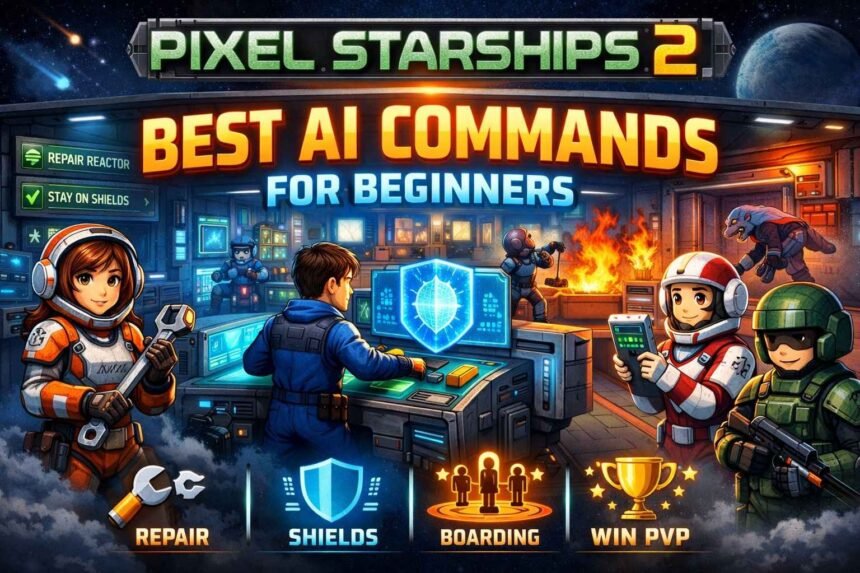
If you’ve been losing fights in Pixel Starships 2 and it feels like the enemy ship is “smarter” than yours, you’re not crazy it’s usually their AI commands.
Most beginners don’t lose because their ship is weak. They lose because their crew runs around randomly, abandons key rooms, and reacts too late when things go wrong. That’s why learning the Pixel Starships 2 best AI commands is one of the fastest ways to start winning more battles.
Here’s the good news: you don’t need 50 complicated rules. A clean Pixel Starships 2 crew AI setup with the right priority order will make your ship behave smarter automatically in fights — especially if you’re looking for the best AI commands for beginners in Pixel Starships 2 for PvP.
Quick example: if your shield operator leaves the shield room to repair a hallway, your shields drop and you can lose in seconds. This guide fixes problems like that first.
How AI Commands Work in Pixel Starships 2
In Pixel Starships 2, AI commands are simple “if this happens, do that” rules you assign to each crew member. Instead of you dragging crew around during a fight, the game uses these commands to decide what they should do automatically.
Each crew member can have multiple commands, and the game follows them from top to bottom. So the first command is always the highest priority. If that condition is true, they do it. If not, they move down the list until something matches.
That’s why the AI command priority order matters so much. Even a beginner setup can win more battles if the rules are clean and consistent.
Practical example:
If your shield operator has “Repair Shield Room when HP is low” above “Stay on Shields,” they may keep leaving their station at the worst possible time. A better Pixel Starships 2 crew AI setup usually keeps key rooms staffed first, repairs second, and fighting or firefighting after.
If you’re new, don’t try to stack 20 complicated rules. The best AI commands for beginners in Pixel Starships Wiki are usually 8–12 solid commands that cover repairs, fires, healing, and boarding defense without making your crew run around randomly.
Best AI Command Priorities for Beginners (Core Rules)
If you’re a beginner, the biggest mistake is trying to make your crew do everything. You’ll get way better results when every crew member has a clear job and a clear order of priorities.
In most battles, your crew AI should follow this simple priority flow:
1) Stay on their main room (job first)
This is what keeps shields up, weapons firing, and power stable.
2) Emergency survival actions
putting out fires, repairing critical rooms, and healing when HP gets low.
3) Combat and cleanup
fighting boarders, repairing non-critical rooms, and helping other rooms usually comes last.
This works for one reason: you don’t lose fights because someone didn’t punch hard enough — you lose when your ship stops functioning. A crew member running off to fight doesn’t matter if your reactor is down or your shields drop.
Practical example:
A shield crew member should almost never leave the shield room to chase boarders. If your shields go down, you take huge damage fast. That’s why a strong Pixel Starships 2 AI guide usually puts “stay in room” and “repair room” above anything combat-related.
If you want a setup that wins more without micromanaging, start with a clean Pixel Starships 2 AI command priority order and build from there. It’s the foundation of the best Pixel Starships 2 AI commands for PvP, and it’s also the fastest way for beginners to stop losing to smarter ships.
Best AI Commands for Repair Crew
Your repair crew has one job: keep your ship alive. In Pixel Starships 2, a good repair AI setup stops you from losing fights to dumb stuff like the reactor breaking, shields dropping, or fires spreading while nobody responds.
For beginners, the best approach is keeping your repair crew near the most important rooms, and only moving them when something is actually damaged.
A strong Pixel Starships 2 crew AI setup for repair usually follows this priority:
- Repair their assigned room first
- Repair critical rooms second (reactor, shields, weapons, teleport)
- Repair anything else last
- Fight only if they’re forced to
The key is making sure they don’t wander. A repair crew member sprinting across the ship to fix a random hallway while your shields are collapsing is basically throwing the match.
Practical example:
If your main repair crew is stationed near the reactor, add a command like “Repair Reactor when damaged” above everything else. That way, even if they’re busy doing something else, they’ll snap back the moment power gets hit.
Experience-based tip:
In early PvP, you don’t need “perfect repairs.” You need fast repairs in the rooms that decide the match: shields, reactor, and your main weapon.
Best AI Commands for Firefighting Crew
Fires are one of the easiest ways to lose in Pixel Starships 2, especially as a beginner. They don’t just deal damage they pull your crew out of position, waste time, and can snowball into your reactor or shields going down.
The best way to handle this is simple: don’t make every crew member a firefighter. Pick 1–2 crew members whose main job is putting out fires, and set their AI so they respond quickly without messing up your key rooms.
A solid Pixel Starships 2 AI command priority order for firefighting looks like this:
- Extinguish fires in their current room
- Extinguish fires in critical rooms (reactor, shields, weapons, teleport)
- Extinguish fires anywhere else
- Return to their assigned room when no fires exist
This keeps your important rooms protected while stopping the whole ship from turning into chaos. How modern IT tools evolved over time?
Practical example:
If your shield crew leaves to put out a fire in a random room, you can lose instantly. That’s why a good Pixel Starships 2 ship AI settings setup makes your shield operator ignore most fires, while your designated firefighter handles them instead.
Experience-based tip:
If you’re only going to protect two rooms from fire, protect reactor and shields. Everything else is survivable.
Best AI Commands for Medics and Healing
Healing AI is what keeps your crew from slowly falling apart in longer fights. In Pixel Starships 2, a super common beginner mistake is letting crew stay in combat until they drop or having the medic wander around healing random people while your key rooms collapse.
The best setup is giving your medic one clear job: keep your most important crew alive, and don’t die themselves.
A reliable Pixel Starships 2 crew AI setup for medics usually follows this priority:
- Heal self when HP is low
- Heal crew in the same room
- Heal high-value crew first (shield, reactor, main weapon operators)
- Return to med bay or assigned room when healing isn’t needed
This stops the medic from running across the ship nonstop and showing up too late to matter.
Practical example:
If your medic doesn’t have “Heal self” at the top, they often get boarded, take damage, and die before they heal anyone.
Experience-based tip:
In PvP, a medic that stays alive is often more valuable than a medic that heals “perfectly.” Prioritize survival first.
Best AI Commands for Shield Room Crew
Your shield room crew is one of the most important roles in the entire fight. In Pixel Starships 2, shields are usually the difference between taking manageable damage… and getting melted in 10 seconds.
The #1 rule for shield crew AI is simple: don’t leave the shield room unless it’s an emergency. Beginners lose all the time because their shield operator runs off to repair something small or chase a boarder, and the shields drop at the worst possible moment.
A strong Pixel Starships 2 AI command priority order for shield crew looks like this:
- Stay in Shield Room
- Repair Shield Room when damaged
- Extinguish fire in Shield Room
- Fight in Shield Room if boarded
- Return to Shield Room immediately after
This keeps your shields stable even during messy PvP fights.
Practical example:
If your shield crew has “Repair any room” above “Stay in Shield Room,” they’ll walk away every time another room takes damage.
Experience-based tip:
If you’re losing fast, it’s usually because shields weren’t staffed not because you lacked damage.
Best AI Commands for Reactor and Power Management Crew
Your reactor crew is basically your ship’s heartbeat. If power goes down in Pixel Starships 2, everything else starts failing fast shields drop, weapons stop firing, and your crew ends up stuck reacting instead of winning.
For beginners, the best reactor AI setup comes down to one thing: keep the reactor staffed and repaired no matter what. Your reactor crew shouldn’t be running across the ship to put out random fires or chasing boarders in other rooms.
A clean Pixel Starships 2 crew AI setup for reactor and power management usually follows this priority:
- Stay in Reactor
- Repair Reactor when damaged
- Extinguish fire in Reactor
- Fight in Reactor if boarded
- Return to Reactor immediately after
That’s it. Simple, reliable, and hard to mess up.
Practical example:
If your reactor crew leaves to repair a random room, and a missile hits your reactor while it’s empty, you can lose the whole match in seconds.
Experience-based tip:
If you want fewer “unfair” losses, lock down reactor behavior first. It fixes a ton of problems instantly.
Best AI Commands for Weapon Room Crew
Your weapon crew’s job is to keep your damage steady. In Pixel Starships 2, you don’t win fights just by repairing perfectly you win by keeping shields up and keeping your weapons firing while the other ship starts falling apart.
For beginners, the biggest weapon AI mistake is letting weapon crew wander off to repair random rooms or chase boarders. The second your weapon room goes empty, your damage slows down and the enemy gets time to recover.
A solid Pixel Starships 2 crew AI setup for weapon room crew usually looks like this:
- Stay in assigned Weapon Room
- Repair assigned Weapon Room when damaged
- Extinguish fire in assigned Weapon Room
- Fight in assigned Weapon Room if boarded
- Return to assigned Weapon Room immediately after
If you’re running multiple weapon rooms, try to assign one crew member per key weapon so you don’t end up with gaps in firing.
Practical example:
If your weapon operator leaves to repair a hallway, your weapon stops firing, the enemy shields recharge, and the whole fight basically resets.
Experience-based tip:
In beginner PvP, consistent weapon uptime beats “smart movement” almost every time.
Best AI Commands for Pilots and Engine Crew
Your pilot and engine crew help you avoid damage, and in PvP that matters a lot. In Pixel Starships 2, dodging even a few big hits can be the difference between winning… and getting wiped before your repairs can catch up.
For beginners, the main rule is the same as shields and reactor: keep the room staffed. If your pilot runs off to repair something small, your evasion drops and you suddenly start eating way more damage.
A clean Pixel Starships 2 crew AI setup for pilots and engine crew usually follows this priority:
- Stay in Bridge/Engine room
- Repair Bridge/Engine room when damaged
- Extinguish fire in Bridge/Engine room
- Fight in Bridge/Engine room if boarded
- Return to Bridge/Engine room immediately after
This keeps your evasion stable and prevents your ship from “suddenly” taking massive hits.
Practical example:
A common beginner issue is the pilot leaving the bridge to help repair another room. Then the enemy weapon volley lands, your shields drop, and you take full damage because your evasion is gone.
Experience-based tip:
If your ship feels “paper thin,” check your pilot AI first. A staffed bridge can quietly win fights.
Best AI Commands for Boarding and Anti-Boarding Crew
Boarding is where Pixel Starships 2 fights get messy fast. If you don’t have a plan, enemy boarders will tear up your reactor, shields, or weapons while your crew runs around like it’s an emergency drill.
The most important beginner rule is simple: separate your boarding crew from your defense crew.
Your boarders should focus on attacking. Your anti-boarding crew should focus on protecting your ship.
Best AI commands for boarding crew (attack team)
Your boarding crew should use priorities like:
- Teleport to the enemy ship when the battle starts
- Target key enemy rooms first (reactor, shields, weapons)
- Heal or retreat when HP is low
- Return to your ship when they’re badly hurt
This is the foundation of the Pixel Starships 2 best AI commands for boarding, because it stops your boarders from teleporting too late or dying for free.
Best AI commands for anti-boarding crew (defense team)
Your defenders should follow a simple plan:
- Fight boarders in critical rooms first
- Defend reactor and shields before anything else
- Return to their assigned room when no boarders exist
You don’t want your entire ship chasing one enemy into a useless room while your reactor gets wrecked.
Practical example:
If a boarder hits your reactor and nobody responds immediately, you can lose in seconds. A strong Pixel Starships 2 AI command priority order makes at least one defender react to boarders in the reactor above everything else.
Experience-based tip:
A lot of beginner losses come from overreacting to boarding. You don’t need five defenders — you need one or two defenders who respond instantly.
Example AI Command Templates (Beginner Setup)
If you’re not sure what exact commands to use, start with these simple templates. They work for most beginner PvP ships and stop your crew from panicking.
Shield Crew Template
- Stay in Shield Room
- Repair Shield Room when damaged
- Extinguish fire in Shield Room
- Fight in Shield Room if boarded
- Return to Shield Room
Reactor Crew Template
- Stay in Reactor
- Repair Reactor when damaged
- Extinguish fire in Reactor
- Fight in Reactor if boarded
- Return to Reactor
Weapon Crew Template
- Stay in assigned Weapon Room
- Repair assigned Weapon Room when damaged
- Extinguish fire in assigned Weapon Room
- Fight in assigned Weapon Room if boarded
- Return to assigned Weapon Room
Repair Crew Template
- Repair Reactor when damaged
- Repair Shield Room when damaged
- Repair Weapon Rooms when damaged
- Extinguish fire in critical rooms
- Repair other rooms
These simple priorities cover the most common beginner losses. Once this works, you can add more advanced logic later.
Best PvP AI Command Setup for Beginners
If you want to win more PvP fights in Pixel Starships 2, your AI doesn’t need to be fancy — it just needs to be consistent. The best beginner PvP setup comes down to one simple rule: keep your key rooms staffed, and only move crew when something is actually urgent.
A strong Pixel Starships 2 crew AI setup for PvP usually looks like this:
- Shields, reactor, and main weapons stay staffed at all times
- Repair crew handles damage (not your station crew)
- One crew member is dedicated to firefighting
- One or two crew members are dedicated to anti-boarding
- Boarding crew focuses only on boarding (and retreats when low HP)
This keeps your ship stable while your damage slowly wins the fight.
Practical example:
A lot of beginner ships lose because the shield crew runs off to repair something, the reactor crew runs off to fight, and suddenly the ship has no shields and no power. A clean Pixel Starships 2 AI command priority order prevents this by keeping station crew locked in place, while your support crew handles emergencies.
Experience-based tip:
Most “smart ships” aren’t using secret commands they’re using simple priorities that stop their crew from panicking.
Common AI Command Mistakes That Cause Losses
Most PvP losses in Pixel Starships 2 aren’t because your ship is weak — they happen because your AI commands make your crew do the wrong thing at the worst possible time.
One of the biggest mistakes is letting your station crew wander. If your shield, reactor, or weapon crew has commands like “Repair any room” or “Fight enemies anywhere,” they’ll constantly leave their post. And once that happens, shields drop, power fails, or your weapons stop firing and the fight snowballs out of control.
Another super common issue is using too many commands. Beginners often stack 15–20 rules on one crew member, and it turns into chaos. The crew keeps switching tasks, walking back and forth, and showing up late to everything. In most cases, a clean Pixel Starships 2 AI command priority order works way better than a complicated one.
Boarding mistakes are also huge. If you don’t have at least one defender who reacts instantly to boarders in your reactor or shields, you can lose in seconds. But if your whole ship responds to boarders, you leave key rooms empty and you lose that way too.
Practical example:
If your shield crew has “Extinguish fire anywhere” above “Stay in Shield Room,” they’ll run off to put out a fire in some random room. Then the enemy weapon volley hits, your shields aren’t staffed, and you take full damage.
Quick Beginner Checklist (Use This Before PvP)
Before you queue into PvP, do a quick check:
- Shield crew has Stay in Shield Room as top priority
- Reactor crew has Stay in Reactor as top priority
- Weapon crew has Stay in Weapon Room as top priority
- At least 1 repair crew is assigned near reactor/shields
- At least 1 crew member is dedicated to firefighting
- Medic has Heal self as top priority
- At least 1 defender reacts to boarders in reactor/shields
- Boarding crew has retreat/heal logic so they don’t die for free
- No station crew has “Repair any room” above “Stay in room”
This checklist alone will fix most beginner losses.
FAQs
How many AI commands should each crew member have?
For beginners, usually 8–12 commands max is plenty. More than that often makes the crew act confused and switch tasks too much.
Should every crew member have firefighting commands?
No. It sounds smart, but it usually makes your ship worse. Pick 1–2 dedicated firefighters so your station crew stays on their rooms.
Why does my shield crew keep leaving the shield room?
Because one of their commands (repair, fight, extinguish) is ranked above Stay in Shield Room. The fix is almost always the priority order.
What’s the best AI setup for PvP as a beginner?
A simple setup where shields, reactor, and weapons stay staffed, while support crew handles repairs, fires, and boarders. Consistency beats complexity in early PvP.
Is boarding required to win PvP?
Not always. Boarding is strong, but beginners can absolutely win with solid defense + steady weapon damage. If boarding feels overwhelming, focus on keeping your ship stable first.
Conclusion
If you want to win more fights in Pixel Starships 2, the biggest upgrade isn’t always a new ship or better gear it’s getting your AI commands right.
A strong Pixel Starships 2 crew AI setup keeps your key rooms staffed, makes repairs happen on time, and stops your crew from sprinting around the ship like they’ve lost the plot. That’s what the Pixel Starships 2 best AI commands really do: they make your ship behave smarter automatically, even when battles get chaotic.
One simple tip to keep in mind: lock down shields and reactor first. If those two rooms stay staffed and repaired, you’ll win way more PvP fights than most beginners.
After you’ve got the basics working, you can start tweaking your AI for your ship build, your weapons, and your boarding style. But this guide gives you the core best AI commands for beginners in Pixel Starships 2 that work in almost every match.